Do QR codes expire? Static vs dynamic codes, and what the providers’ own rules say
A static QR code does not expire: its content is in the pattern. A dynamic QR code can stop working, because it relies on the provider’s server to forward each scan. Below: how to tell which you have, and what five providers say happens to dynamic codes.
Static and dynamic, in one table
| Static code | Dynamic code | |
|---|---|---|
| What the code contains | The content itself: an address, Wi-Fi details, a contact card | A short link to the provider |
| Can it stop working? | Only if its content stops being valid (the page is deleted, the password changes) | Also when the provider stops forwarding: trial end, plan change, expiry date, deletion |
| Change the destination after printing | No; point it at a page you control and change the page | Yes |
| Scan counts | No; use analytics on your own page | Yes, usually on paid plans |
| Running cost | None | The plan, for as long as the code must work |
How to tell which kind you have
Read the code and look at the raw content. Your own address means static; a short link on the provider’s domain means dynamic. QR Meadow makes static codes and shows the exact content under the form:
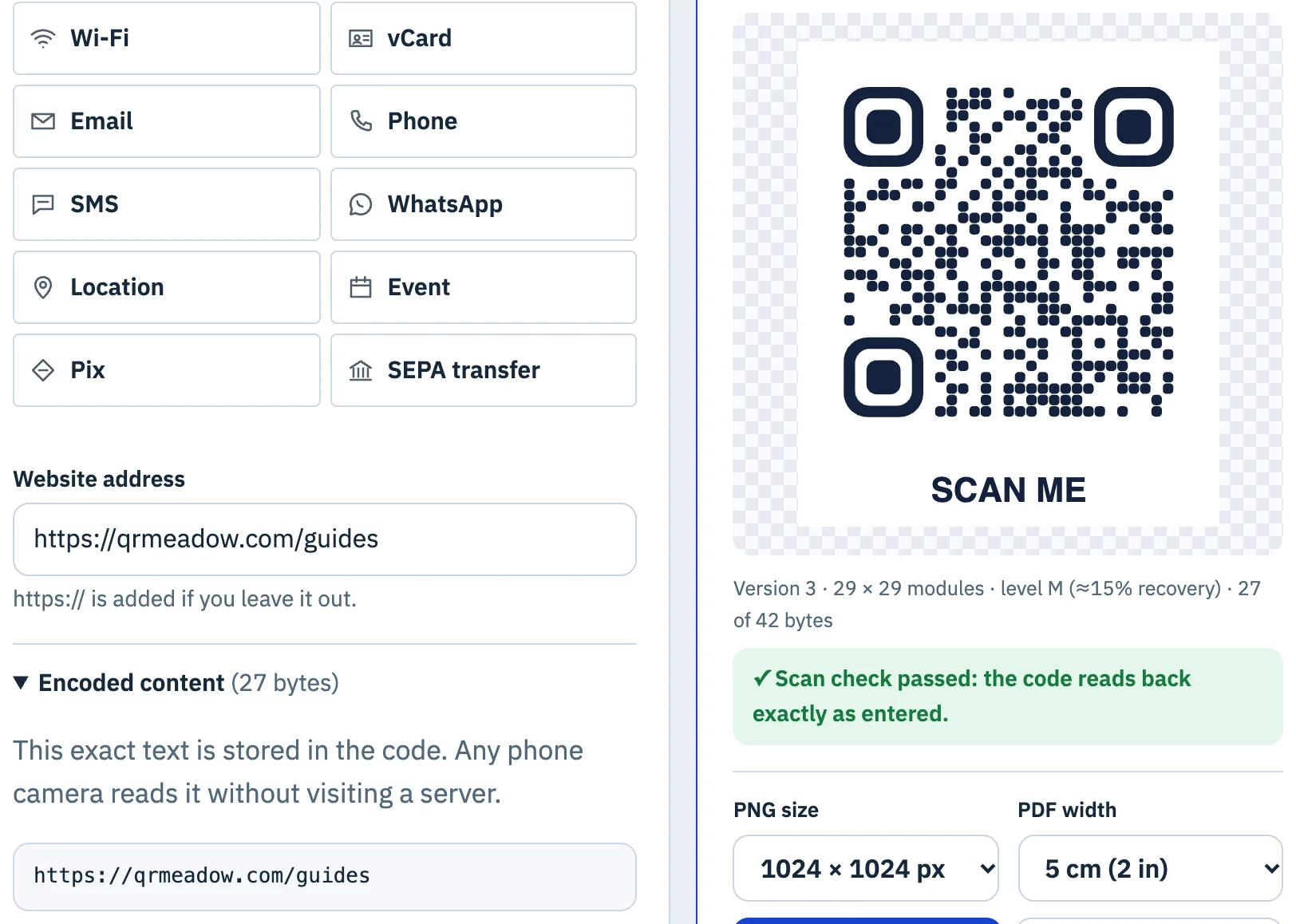
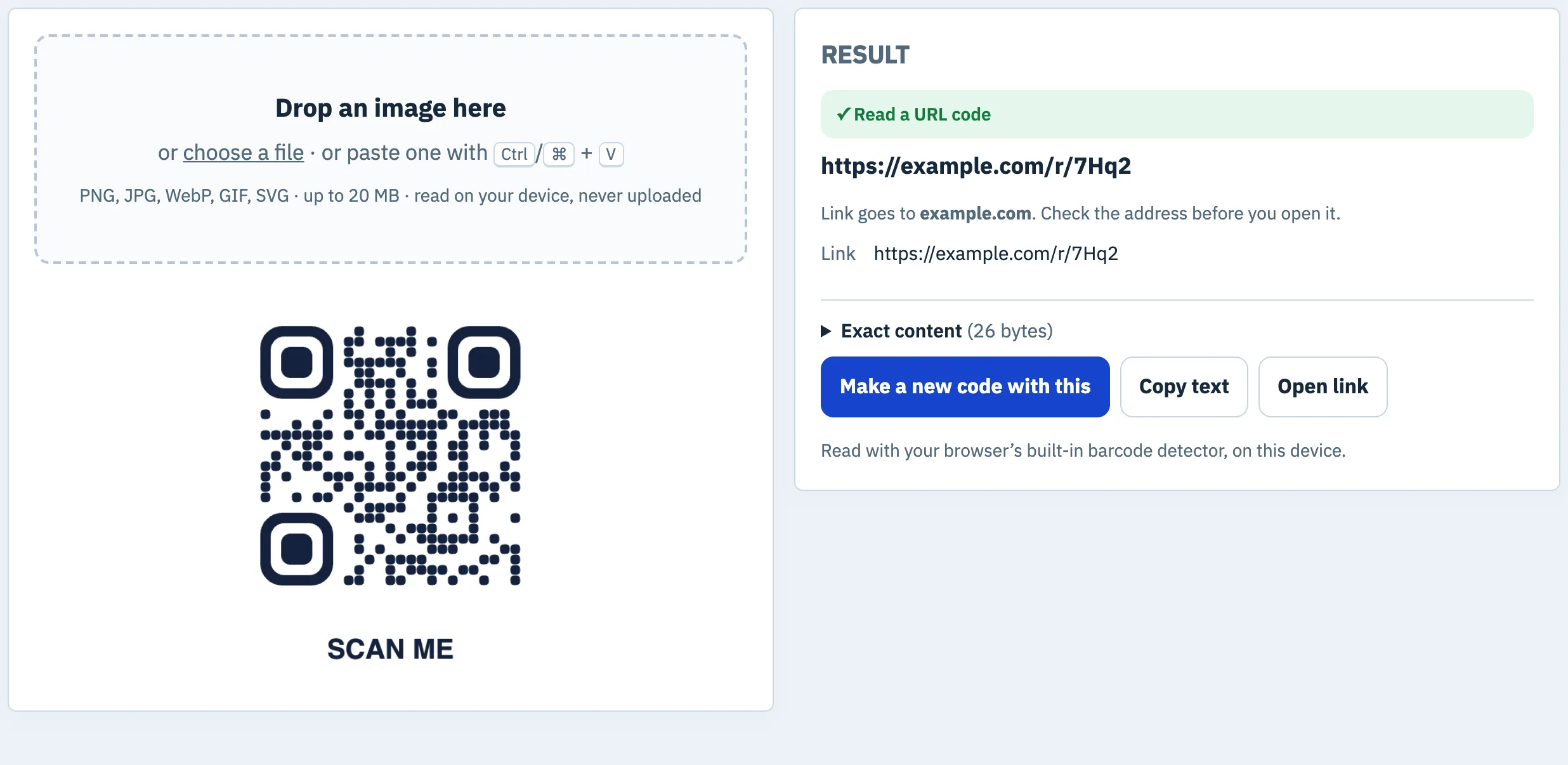
For a code you already have, upload or paste an image into the QR code scanner. A short path on a domain you do not recognise, like the example below, is the usual sign of a redirecting link:
What the providers say
From each provider’s own pricing or help pages, opened on 28 October 2026:
| Provider | What their pages say happens |
|---|---|
| QR Code Generator (QRCG by Bitly) | 14-day free trial. When it expires, dynamic codes “are deactivated and point to a service page rather than the original destination”; static codes keep working; upgrading reactivates them. |
| Bitly | QR codes behave like short links. After a downgrade, codes on bit.ly keep working; codes on your own domain keep working while its DNS points to Bitly, but the SSL certificate is not renewed; codes on a complimentary domain stop when that domain’s registration expires. |
| Canva | Static codes have a fixed link; dynamic codes can be edited. On Business, Enterprise and Nonprofit plans a dynamic code can get an expiry date, after which it redirects to a chosen URL or Canva’s generic QR code error page. |
| Hovercode | On cancellation, the first 3 dynamic codes stay active on the free plan; the rest become inactive but are not deleted; codes on a custom domain stop; resubscribing reactivates them. |
| QRCode Monkey | Static codes only; its FAQ says they “do not expire and will work forever” and may be used commercially. |
None of this is hidden: a dynamic code is a service with terms. The difference is who controls the printed code’s future. With a static code, you do; with a dynamic code, the plan does.
What a lasting dynamic code costs
Bitly’s Core plan is listed at $10 a month, billed annually, with 5 QR codes a month; keeping it for three years so the codes keep forwarding is $10 × 36 = $360. That buys real features, editing the destination and counting scans. If you need neither, a static code does the same job for nothing. A middle way: a static code on your own domain, such as yourdomain.com/menu, with the redirect managed on your own site.
How long a static code lasts
As long as its content stays valid, the print stays readable (no fading, scratches or covering stickers) and phones keep reading the format. QR Code is an ISO standard, ISO/IEC 18004, according to DENSO WAVE; reading it needs no company’s servers. Some data, such as Wi-Fi details and contact cards, only makes sense in a static code, because the phone acts on the content directly. Payment schemes can have both: Brazil’s Pix, for instance, defines static and dynamic codes, and a payment always needs the banking app to go online.
Where QR Meadow fits
QR Meadow makes static codes only: no account, no plan and nothing to renew, with what you type turned into the code in your browser. Every design is read back before download, and the bulk generator makes up to 500 at once. If you need to change destinations after printing or count scans, a dynamic service is the right tool; the table above shows what to check before you choose one.
Questions
Do Canva QR codes expire?
According to Canva’s help centre, static codes have a fixed link, while dynamic codes can be given an expiry date on Business, Enterprise and Nonprofit plans, after which they redirect to a chosen URL or Canva’s error page.
Can I turn a dynamic QR code into a static one?
Not the printed code itself. Find the real destination, make a new static code for it and replace the print.
Sources
- QR Code Generator support, “What happens to my account and QR Codes when the trial expires?”
- QR Code Generator, pricing
- Bitly, pricing
- Bitly support, “What happens when I downgrade to a lower subscription plan?”
- Canva Help Center, “Create and manage QR codes in Canva”
- Hovercode help, “What happens to my QR codes if I cancel my subscription?”
- QRCode Monkey, home page and FAQ
- DENSO WAVE, “QR Code Standardization” (outline specification and capacities)
- Banco Central do Brasil, Manual de Padrões para Iniciação do Pix (PDF)
Tools used in this guide
More guides
- Smallest QR code size: printer, decoder and phone limitsHow small can a QR code be? 2 cm for phones, 8.4 mm at 400 dpi, Micro QR and rMQR for tiny spaces, and a decoder test of how few pixels per module work.
- Maximum QR code size: version 40, 2,953 bytes, and how big to print itThe largest QR code is version 40: 177 × 177 modules, 2,953 bytes at level L. Capacity by level, print sizes, and how large versions fared in a decoder test.
- The QR code quiet zone: why four modules, and what happens with lessQR codes need a 4-module quiet zone. What that is in millimetres, where designs lose it, and phone and decoder tests of 0 to 4 modules on busy backgrounds.
- QR code sticker size: square, round and pre-cut labelsHow big a QR code sticker should be: code width and scan range for 1 to 4 inch square and round stickers, and how to fit codes on pre-cut labels.
- QR code size on a business card: what fits, what scansA QR code on a business card: the rules of thumb, card safe zones, and a phone test where a full vCard read at 10 mm from 20 cm.
- QR code size in pixels: exports, screens and the scaling trapHow many pixels a QR code needs: a 1024 px PNG gives a short link 31 px per module. Print resolution maths, screens, and why scaling by odd factors hurts.
- How to print QR code stickers and labels in bulkTurn a CSV into up to 500 labelled QR code stickers: styles that still scan, a label sheet or pre-cut labels, and print settings that keep the size right.
- Do QR codes expire? Static vs dynamic codes, and what the providers’ own rules sayStatic QR codes never expire; dynamic ones can stop. What five providers say happens at trial end, downgrade, cancellation or expiry, and how to choose.