QR code size on a business card: what fits, what scans
By the usual rules of thumb, a short link needs about 2 to 2.5 cm (0.8 to 1 in) and a short vCard 3 to 4 cm. Real phones need less: in our test both an iPhone and an Android phone read a full vCard code only 10 mm wide from about 20 cm on a screen. The numbers, and how to choose, below.
How much room a card gives you
The printer 4OVER4 lists these trimmed sizes and recommends keeping text and logos 0.125 in inside each edge (a 3.25 × 1.75 in safe zone on a US card):
| Card | Size | Height inside a 0.125 in safe zone |
|---|---|---|
| US standard | 3.5 × 2 in (89 × 51 mm) | 1.75 in (44.5 mm) |
| European | 85 × 55 mm | 48.6 mm |
| Japanese | 91 × 55 mm | 48.6 mm |
| Square | 2.5 × 2.5 in (64 × 64 mm) | 2.25 in (57.2 mm) |
| Slim | 3.5 × 1.5 in (89 × 38 mm) | 1.25 in (31.8 mm) |
Safe height = card height − 2 × 0.125 in (3.175 mm). The safe zone is 4OVER4’s US recommendation, applied to the other sizes for comparison.
How much room the code needs
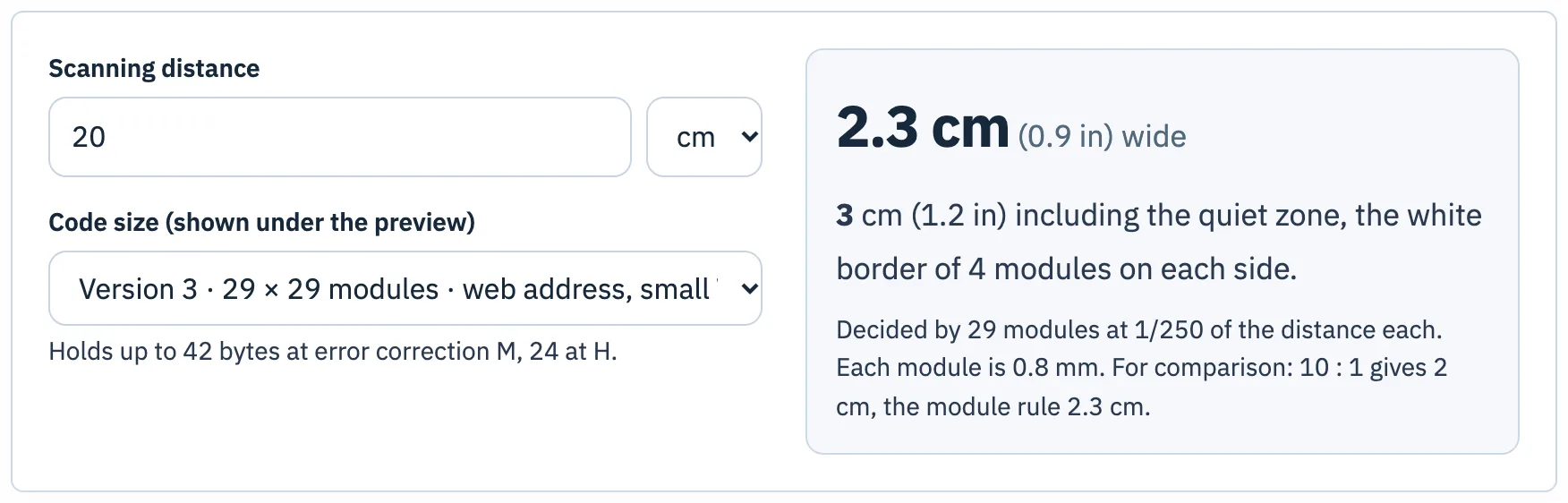
People hold a card in their hand; assume 15 to 20 cm (6 to 8 in). Widths below use the larger of a tenth of the scanning distance (Bitly) and 1/250 of the distance per module (worked out from QRStuff’s 2011 table, which assumes a 3–4 megapixel camera, so a conservative figure), never under 2 cm, plus four modules of quiet zone per side. Because the module rule is conservative, treat the vCard rows as a safe upper estimate rather than a hard limit.
| What the code holds | Version · modules | From 15 cm | From 20 cm |
|---|---|---|---|
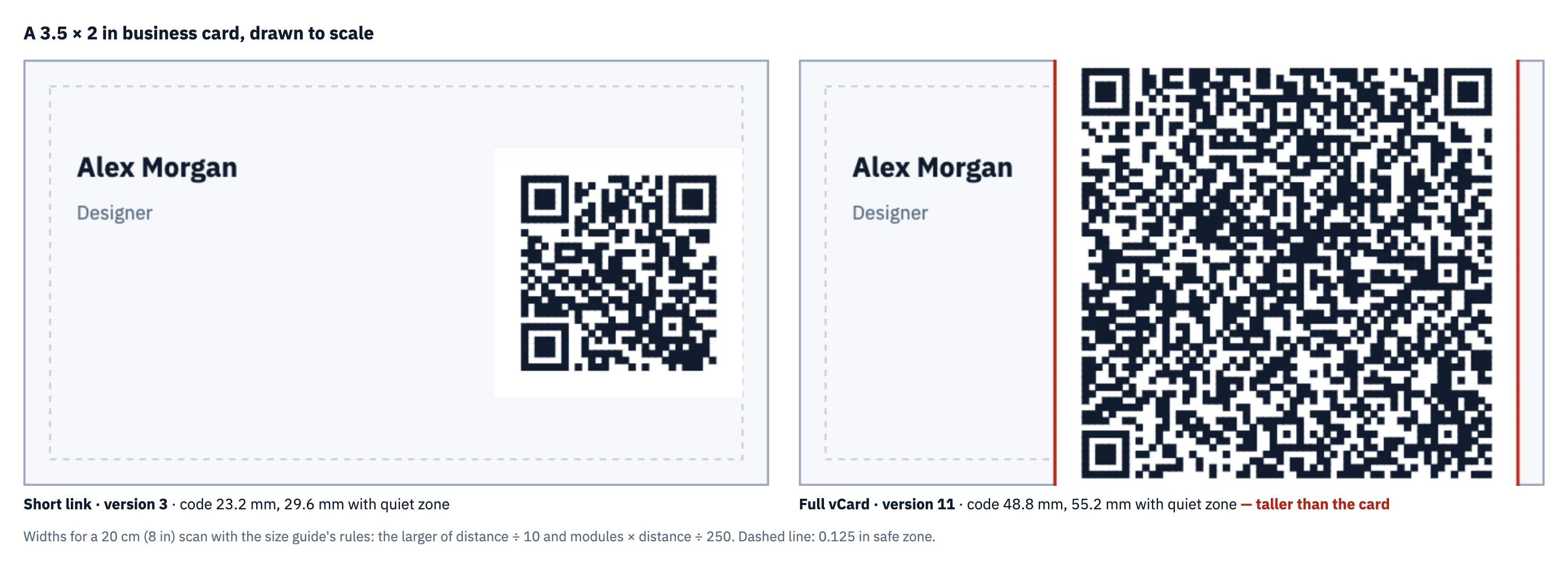
| Short link to your profile | 2–3 · 25–29 | 20 mm (26 mm with margin) | 20–23 mm (26–30 mm) |
| vCard: name, mobile, email | 8 · 49 | 29 mm (34 mm) | 39 mm (46 mm) |
| Full vCard with company, title, website, address | 11 · 61 | 37 mm (41 mm) | 49 mm (55 mm) |
Example: version 8 from 20 cm needs 49 × 200 ÷ 250 = 39.2 mm, and 39.2 × 57 ÷ 49 = 45.6 mm with its quiet zone.
Against a US card’s 44.5 mm safe height: a link fits with room to spare; a short vCard fits for a 15 cm scan; a full vCard fits for a 15 cm scan but takes 41 of the 44.5 mm on that side, and at 20 cm the rule asks for more than the card’s height.
What real phones read
The rules above are conservative. With an iPhone and an Android phone, each with its built-in camera app, scanning a computer screen from about 20 cm, the short link, the short vCard (version 8) and the full vCard (version 11) were all read at every width tried, from 10 to 30 mm. So a full vCard at 2.5 to 3 cm, which fits a card easily, is realistic for a phone in good light. A printed card adds paper texture, glare and dim rooms, so print one proof at your chosen size and scan it before ordering.
Phone test: code widths without the quiet zone. One session, one distance, codes shown on a screen rather than printed; details.
Link or vCard?
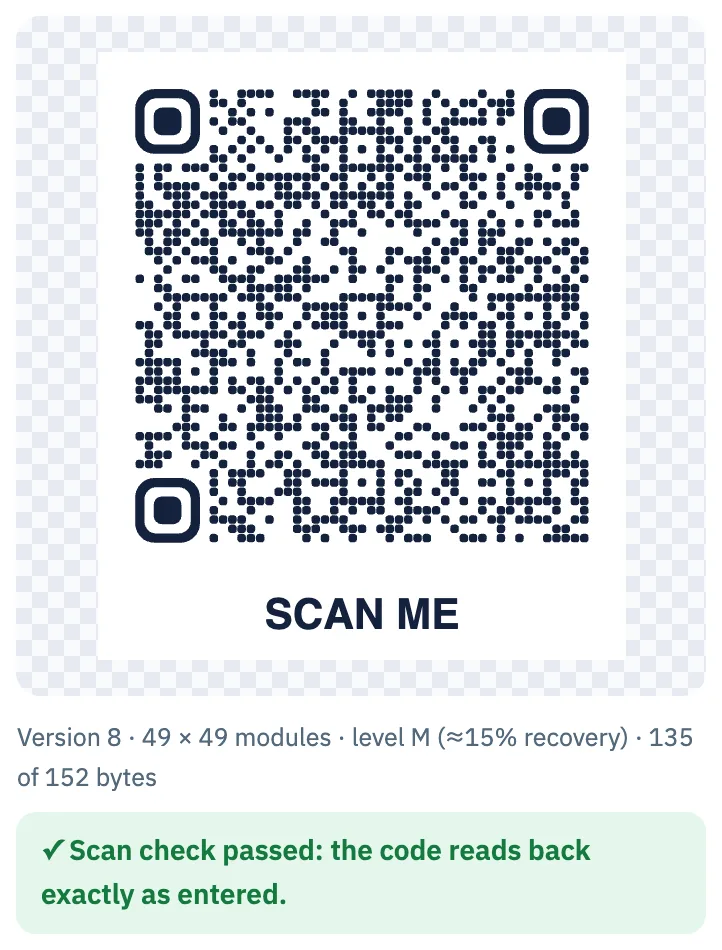
A vCard code holds the contact itself in the vCard 3.0 format of RFC 2426: one scan offers to save it, with no internet connection and no service behind it. A link holds only an address, so the code stays small, and the page behind it can change when your details do. With the vCard generator, name, mobile and email alone come to 135 bytes, version 8:
To keep a vCard on a small card, print the address and title as text and leave them out of the code; text on the card costs no modules. For a link, use the URL generator with the shortest address you control.
What a separate camera-model test adds
| Rebuilt sample | Apple Vision | ZXing-C++ |
|---|---|---|
| A11: 10 mm symbol | 1/36 | 1/36 |
| A13: 20 mm symbol | 22/36 | 23/36 |
| A15: 30 mm symbol | 33/36 | 30/36 |
The rebuilt 10 mm, 61-module sample was much harder to read in the projection model than its clean 300 dpi source. It is the same grid density as version 11 contact data, but this test encoded a label, not an actual vCard, and does not validate adding a contact to a phone. The earlier screen session and this uncalibrated model are different evidence; neither replaces a proof of the finished print.
Separate synthetic-image study, QM-LAB-20261028, not a phone or physical-print test. Distances are projections under assumed camera settings, not measured scan ranges. Method, limits and downloadable results.
Check your own card
Then print a proof at the final size, on the final card stock, and scan it with two or three phones. Metallic foils and very glossy finishes can reflect light into the camera.
Questions
How big should a QR code be on a business card?
By conservative rules, about 2 to 2.5 cm for a short link and 3 to 4 cm for a short vCard. In our phone test, codes down to 10 mm, a full vCard included, read from about 20 cm on a screen; 2 to 3 cm with a printed proof is a sound choice for most cards.
Should I put a vCard or a link on my business card?
A link gives the smallest code and can point to a page you update. A vCard saves the contact directly and works offline; keep it to a few fields so it fits.
Sources
- 4OVER4, “Business card sizes around the world and why they differ”
- Bitly, “What’s the Minimum Size for a QR Code?”
- QRStuff, “QR Code Minimum Size” (module size table)
- DENSO WAVE, “Point for determining the code area” (quiet zone and module size)
- RFC 2426, vCard MIME Directory Profile (vCard 3.0)
Tools used in this guide
More guides
- Smallest QR code size: printer, decoder and phone limitsHow small can a QR code be? 2 cm for phones, 8.4 mm at 400 dpi, Micro QR and rMQR for tiny spaces, and a decoder test of how few pixels per module work.
- Maximum QR code size: version 40, 2,953 bytes, and how big to print itThe largest QR code is version 40: 177 × 177 modules, 2,953 bytes at level L. Capacity by level, print sizes, and how large versions fared in a decoder test.
- The QR code quiet zone: why four modules, and what happens with lessQR codes need a 4-module quiet zone. What that is in millimetres, where designs lose it, and phone and decoder tests of 0 to 4 modules on busy backgrounds.
- QR code sticker size: square, round and pre-cut labelsHow big a QR code sticker should be: code width and scan range for 1 to 4 inch square and round stickers, and how to fit codes on pre-cut labels.
- QR code size on a business card: what fits, what scansA QR code on a business card: the rules of thumb, card safe zones, and a phone test where a full vCard read at 10 mm from 20 cm.
- QR code size in pixels: exports, screens and the scaling trapHow many pixels a QR code needs: a 1024 px PNG gives a short link 31 px per module. Print resolution maths, screens, and why scaling by odd factors hurts.
- How to print QR code stickers and labels in bulkTurn a CSV into up to 500 labelled QR code stickers: styles that still scan, a label sheet or pre-cut labels, and print settings that keep the size right.
- Do QR codes expire? Static vs dynamic codes, and what the providers’ own rules sayStatic QR codes never expire; dynamic ones can stop. What five providers say happens at trial end, downgrade, cancellation or expiry, and how to choose.