How to print QR code stickers and labels in bulk
Put the links and labels in a CSV, make all the codes at once in the bulk generator, check them, then print either the generator’s label sheet or a pre-cut label template. Up to 500 codes per batch, without an account.
Before you start
- One address per item, such as a menu link with the table number or an asset page with its ID. Short addresses give version 2 or 3 codes with large modules.
- A label per item, such as “Table 7”, so the right sticker goes in the right place.
- The size, from the scanning distance; the sticker size guide has tables for 1 to 4 inch stickers.
Step 1: the list or CSV
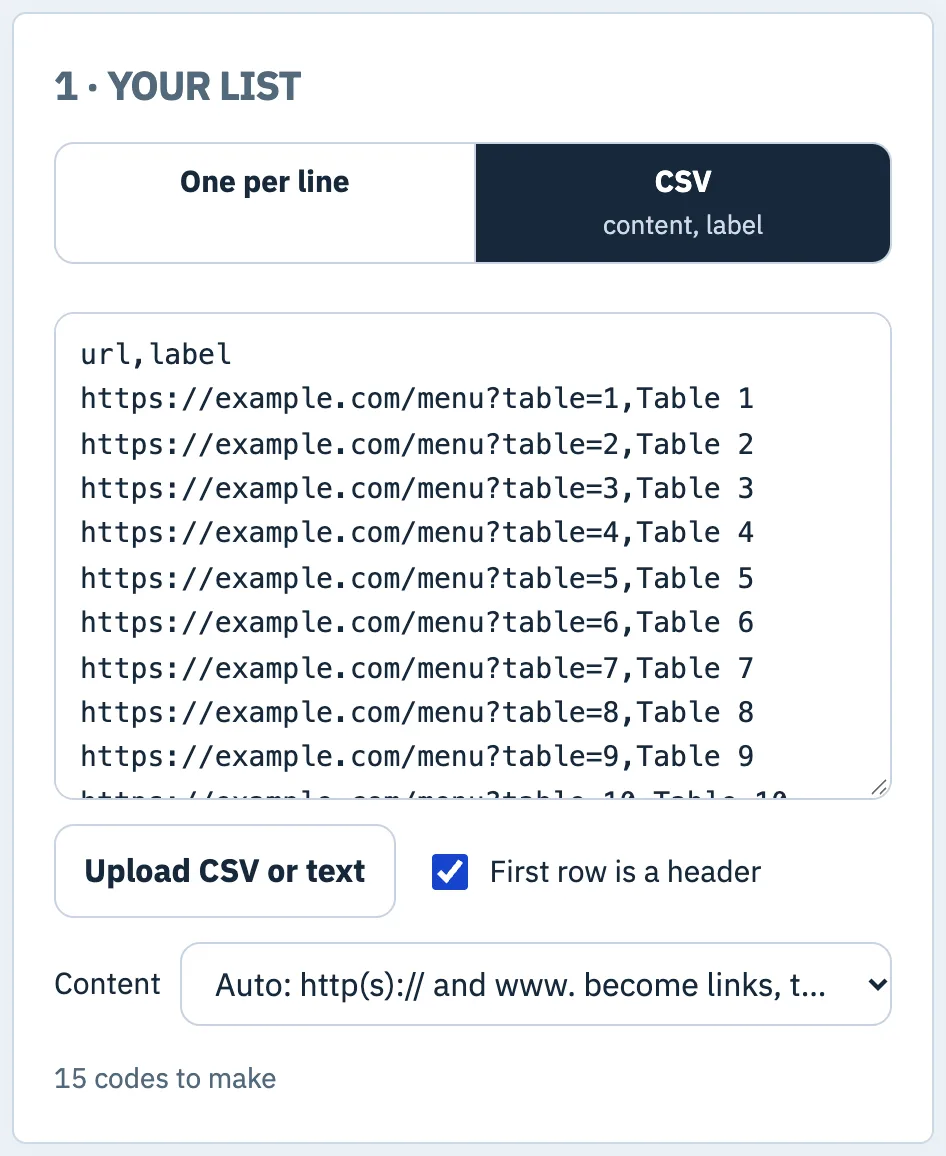
Paste one item per line, or a CSV with the content in the first column and the label in the second. CSV is read as RFC 4180 describes, so a field containing a comma can be wrapped in double quotes, and commas, semicolons or tabs are detected automatically, which helps with spreadsheets saved in European locales. A first row such as url,label is recognised as a header and skipped; the checkbox can override it.
Step 2: style and labels
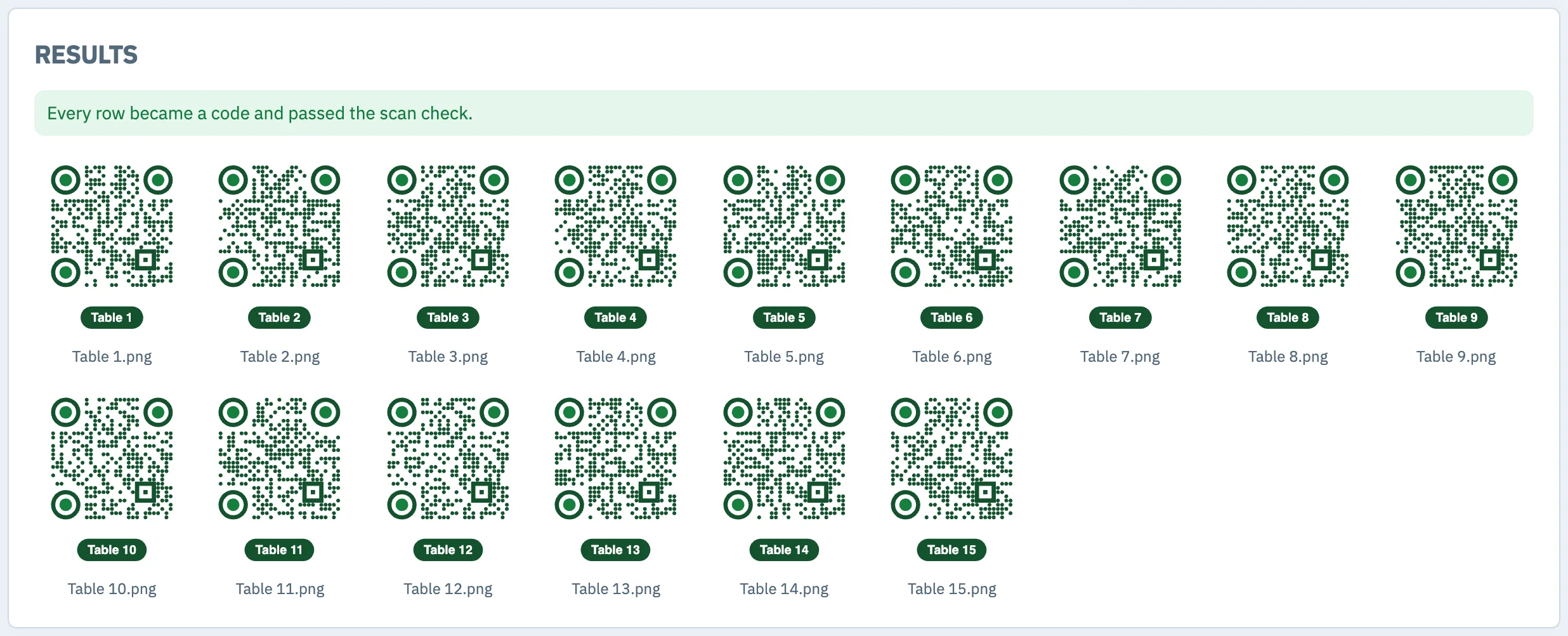
With “CSV column 2” the label is printed under each code and becomes its file name, so the ZIP holds Table 1.png to Table 15.png.
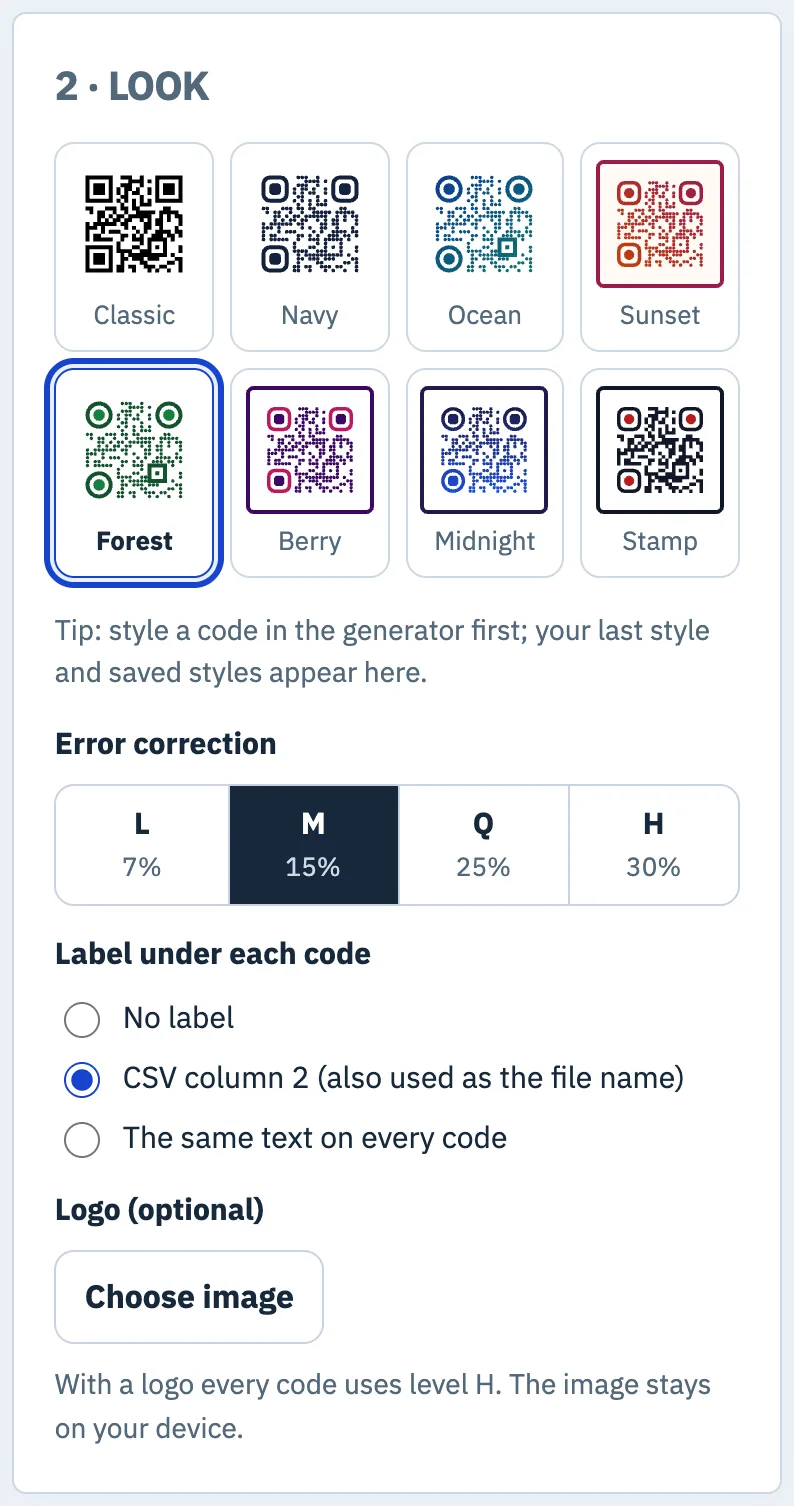
Styles change how much resolution a decoder needs, but not by much. The same short link in each preset, averaged down and blurred:
| Preset | Modules | Gradient | Frame | Reliable from (blurred) |
|---|---|---|---|---|
| Classic | square | no | none | 3 px/module |
| Forest | dots | no | pill | 3 |
| Berry | rounded | no | banner | 3 |
| Stamp | square | no | border | 3 |
| Navy | rounded | no | none | 3.25 |
| Sunset | rounded | yes | border | 3.25 |
| Ocean | dots | yes | none | 3.5 |
| Midnight | rounded | yes | banner | 3.5 |
Test: two 3 × 3 box blurs, steps of 0.25 px per module, reliable = at least 9 of 10 random offsets at that step and above. Decoder jsQR 1.4.0 on synthetic images, not phone photos; how the tests work.
All presets fell within two steps (0.5 px per module) of the plain code; the three with gradients needed 3.25 to 3.5. In the phone test, an iPhone and an Android phone, each with its built-in camera app, scanning a computer screen from about 20 cm, all eight presets were read at 15 mm wide. For stickers at the small end of their range, Classic still keeps the most margin for weaker readers.
Step 3: make and check
“Make codes” builds every code and reads each one back before anything is downloaded. Rows that cannot become a code, for example because they are too long, are listed with the reason.
Step 4a: the generator’s label sheet
For plain paper or uncut sticker sheets, download the label sheet PDF: A4 or US Letter, up to 6 columns and 10 rows, optional light cut lines. Codes without a label are as wide as the smaller cell side minus 6 mm, after a 10 mm page margin; a label takes some of the cell height, and the panel shows the exact width for your settings.
| Paper · grid | Codes per page | Code width (no label) |
|---|---|---|
| A4 · 3 × 5 | 15 | 49.4 mm |
| A4 · 4 × 6 | 24 | 40.2 mm |
| US Letter · 3 × 5 | 15 | 45.9 mm |
| US Letter · 4 × 6 | 24 | 37.2 mm |
Step 4b: pre-cut labels
Pre-cut sheets have their own margins and gaps, so the generator’s grid will not line up with them. Download the ZIP as SVG instead and place one code per label in the label maker’s template. Avery, for example, publishes blank templates for its 2" × 2" square labels (22806, 12 per sheet) in Word, PDF, Illustrator and other formats. Because the files are named by label, “Table 7.svg” goes on the seventh label.
Print at actual size
A print dialog set to “fit to page” rescales the sheet. An A4 sheet fitted onto Letter paper is scaled by 279.4 ÷ 297 ≈ 0.94, so a 40.2 mm code comes out at about 37.8 mm. Choose the paper you set in the generator and print at 100 % or “actual size”, then scan the first sheet with two or three phones before printing the rest.
Questions
Can each QR code have its own label?
Yes. Put the label in the second CSV column and choose “CSV column 2”. The label is printed under the code and used as the file name.
Which file should I send to a sticker printer?
SVG for each code, or the label sheet PDF. Both are vector and stay sharp at any size.
Sources
- RFC 4180, Common Format and MIME Type for CSV Files
- Avery, Template 22806 (2" × 2" square labels, 12 per sheet)
- DENSO WAVE, “Point for determining the code area” (quiet zone and module size)
- jsQR, the decoder used in the tests (GitHub)
Tools used in this guide
More guides
- Smallest QR code size: printer, decoder and phone limitsHow small can a QR code be? 2 cm for phones, 8.4 mm at 400 dpi, Micro QR and rMQR for tiny spaces, and a decoder test of how few pixels per module work.
- Maximum QR code size: version 40, 2,953 bytes, and how big to print itThe largest QR code is version 40: 177 × 177 modules, 2,953 bytes at level L. Capacity by level, print sizes, and how large versions fared in a decoder test.
- The QR code quiet zone: why four modules, and what happens with lessQR codes need a 4-module quiet zone. What that is in millimetres, where designs lose it, and phone and decoder tests of 0 to 4 modules on busy backgrounds.
- QR code sticker size: square, round and pre-cut labelsHow big a QR code sticker should be: code width and scan range for 1 to 4 inch square and round stickers, and how to fit codes on pre-cut labels.
- QR code size on a business card: what fits, what scansA QR code on a business card: the rules of thumb, card safe zones, and a phone test where a full vCard read at 10 mm from 20 cm.
- QR code size in pixels: exports, screens and the scaling trapHow many pixels a QR code needs: a 1024 px PNG gives a short link 31 px per module. Print resolution maths, screens, and why scaling by odd factors hurts.
- How to print QR code stickers and labels in bulkTurn a CSV into up to 500 labelled QR code stickers: styles that still scan, a label sheet or pre-cut labels, and print settings that keep the size right.
- Do QR codes expire? Static vs dynamic codes, and what the providers’ own rules sayStatic QR codes never expire; dynamic ones can stop. What five providers say happens at trial end, downgrade, cancellation or expiry, and how to choose.